SNIPE THE DEAL.
OWN THE MARKET.
The FIFA Snipe Bot for EA FC 26 Ultimate Team
GOATBot auto-buys underpriced players on the Ultimate Team transfer market for you — configurable filters, sub-second reaction time, and a side panel that stays out of your way.
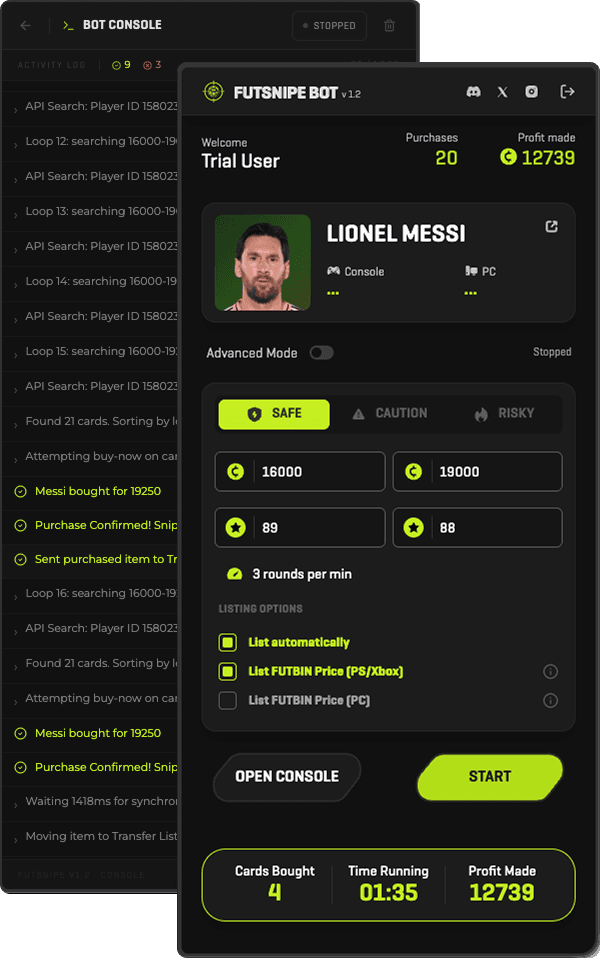
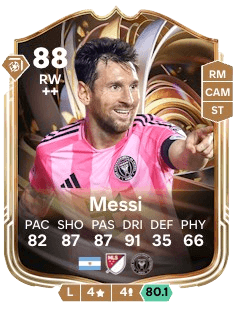
Built to Snipe
Everything you need to automate transfer market sniping, without touching a terminal or writing a script.
Auto Snipe
Scans transfer market listings and auto-purchases players that match your price and rating criteria.
Auto List & Auto Sell
Automatically relists players you've bought at your chosen sell price range, or auto-sells them outright.
Smart Filters
Set min/max price, bid limits, card rating, and a purchase cap per search.
Futbin Price Reference
Pulls live pricing data from Futbin so you're sniping against real market value.
Anti-Detection Engine
Configurable, humanized action delay keeps activity looking human.
Humanization++
Simulates real mouse movement and clicks so the bot interacts with the page the way a person actually would.
Side Panel UI
Runs in Chrome's native Side Panel, right next to the Ultimate Team Web App.
Web Dashboard
Manage your account, license, and settings from a web dashboard.
Free Discord Support
Get help and share strategies in our Discord — support's included, no extra cost.
How It Works
Install the extension
Add GOATBot to Chrome and pin it to your toolbar.
Open the Side Panel
Launch the EA FC Ultimate Team Web App and open the GOATBot side panel.
Set your targets
Choose the players, price ceilings, and filters you want the bot to watch for.
Let it snipe
The bot scans the market and auto-buys matching listings the moment they appear.
Sniping Guides
Visit the blog →How to Snipe Players on the EA FC Ultimate Team Web App
A step-by-step walkthrough of transfer market sniping, from finding underpriced listings to timing your bids.
Best Filters for FUT Sniping: Price, Rating and Timing
How to configure price ranges, rating caps, and purchase limits so your bot buys real deals, not junk.
Is Using a Sniping Bot Against EA's Rules? What to Know
A plain-language look at EA's Ultimate Team terms of service and what the risk of using automation tools actually is.
Get GOATBot
One plan, everything included — auto snipe, auto list, smart filters, and live Futbin pricing.
- Unlimited auto-sniping
- Auto List relisting
- Live Futbin price reference
- Priority Discord support
What Snipers Are Saying
“bro sniped 30+ players my first week 💀 the action delay setting is actually slept on, kept me under the radar while everyone else got flagged lol”
Yusuf A.
FUT Trader
“no cap the side panel UI means i never have to alt-tab. set my filters once and it just runs while i grind squad battles, love it”
Connor B.
SBC Grinder
“the futbin price reference is what sold me tbh. no more guessing if a listing's actually underpriced or if im tweaking 😅”
Oliver P.
Market Flipper
“took like ten minutes to set up and it paid for itself the same day??? auto list is genuinely a game changer, gg”
Freya M.
Casual Trader
“switched from two other sniping tools before landing here and ngl this is the first one where the side panel + futbin pricing didn't feel bolted on, everything just works together”
Layla H.
Ex-user of two other sniping tools

Ready to Snipe?
GOATBot isn't on the Chrome Web Store yet. In the meantime, load it as an unpacked extension — build it from source and enable Developer Mode in Chrome.